
Understanding Zero Trust Architecture
Why the “Castle-and-Moat” Model No Longer Works — and What Zero Trust Changes
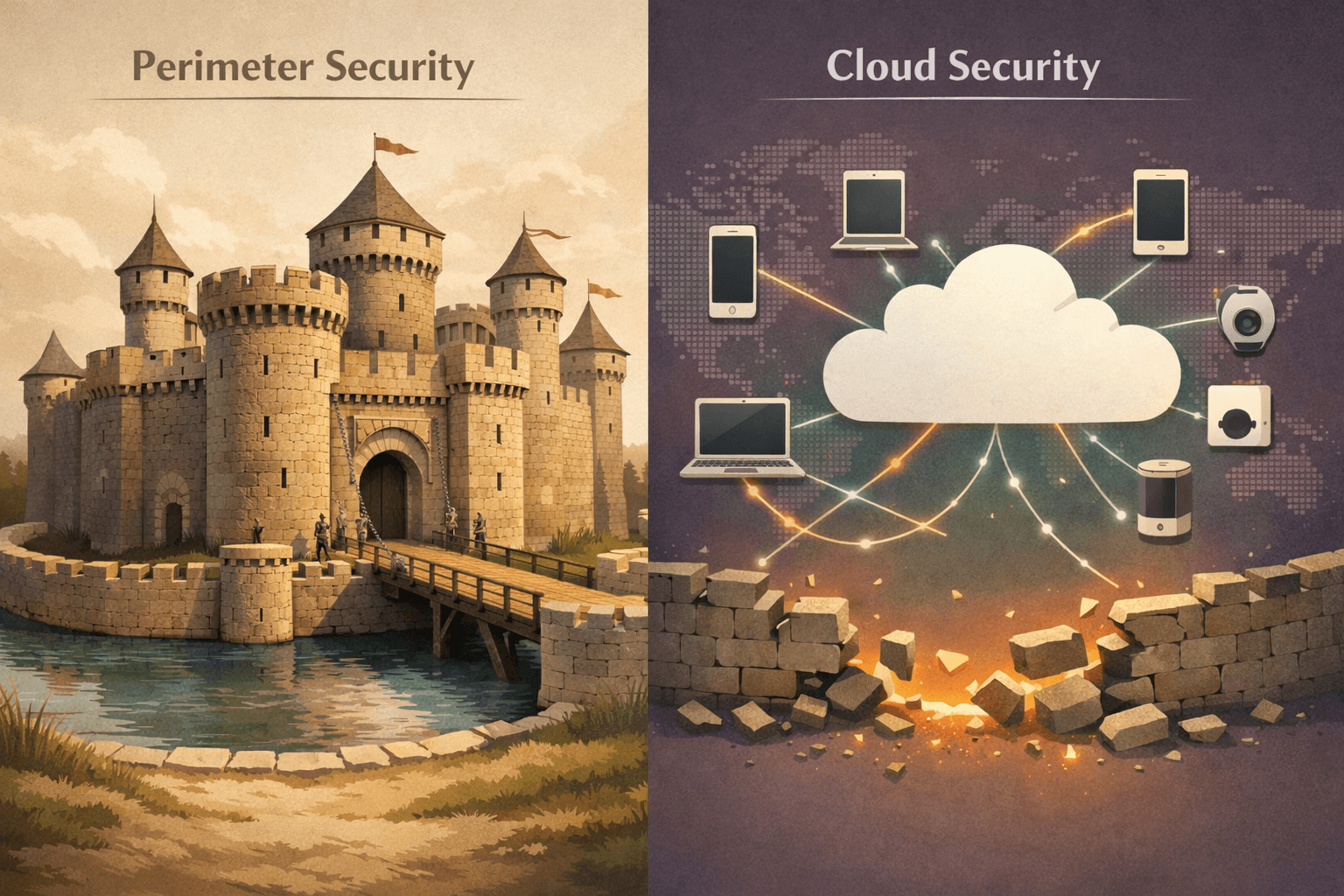
For years, cybersecurity operated on a simple assumption:
Build a strong perimeter.
Protect what’s inside.
Trust internal traffic.
This “castle-and-moat” model made sense when employees worked in one office, on managed desktops, connected to one network.
That world is gone.
Cloud services, remote work, personal devices, contractors, and AI agents have erased the clear boundary between “inside” and “outside.”
Why the Castle-and-Moat Model Breaks Down
Traditional security assumes that anything behind the firewall is safe.
But today:
Employees log in from coffee shops and home networks
Sensitive data lives in cloud platforms
Contractors access internal systems
Stolen credentials can bypass perimeter defenses
Insider threats remain a real risk
Once an attacker gets inside a flat network, lateral movement becomes easier.
Trusting internal traffic by default is no longer defensible.
Enter Zero Trust — “Never Trust, Always Verify”
Zero Trust Architecture rejects implicit trust.
It assumes no user, device, or application — inside or outside the network — is trustworthy without verification.
Every access attempt must be validated based on:
Identity
Device posture
Context (location, time, behavior)
Risk signals
Access is not a one-time decision. It’s continuously evaluated.
Core Principles of Zero Trust
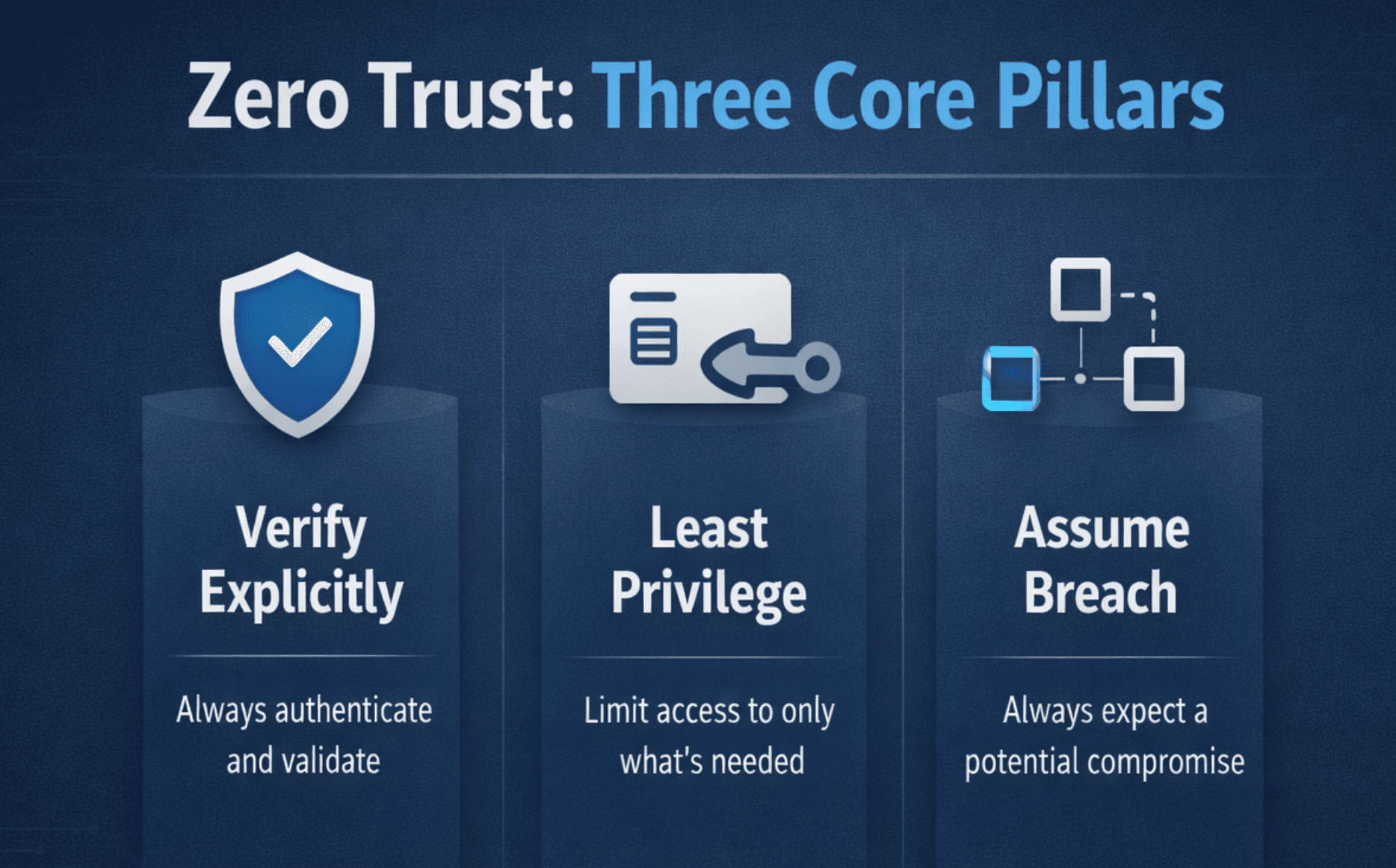
Zero Trust is not a product. It’s a security philosophy built on three foundational principles:
1. Verify Explicitly
Authenticate and authorize every access request using identity, device health, and contextual information.
2. Use Least Privilege
Grant users and systems only the minimum access required to perform their tasks — nothing more.
3. Assume Breach
Design systems as if attackers are already present. Limit blast radius. Monitor continuously.
Zero Trust shifts the mindset from prevention-only to controlled access and containment.
What Zero Trust Looks Like in Practice
Zero Trust isn’t theoretical. It’s operational.
For example:
A remote employee logs in using MFA and device validation
Access to sensitive systems is restricted by role and context
Suspicious activity triggers step-up authentication
Cloud services regularly re-evaluate permissions
Access becomes dynamic, not permanent.
Permissions are conditional, not assumed.
Why It Matters to You (and Everyone)
Zero Trust isn’t limited to enterprise security teams.
You see it every day:
Your bank checks device health and location before allowing access
Work apps require MFA and may block unknown devices
Modern security platforms integrate identity and behavioral analytics
Even if you’re not designing corporate architecture, Zero Trust principles influence how your accounts are protected.
What Experts and Agencies Say
Microsoft describes Zero Trust as a proactive, integrated security model that verifies every transaction and enforces least privilege across the digital estate. Their work with NIST’s National Cybersecurity Center of Excellence (NCCoE) provides practical implementation guidance¹.
The U.S. Cybersecurity and Infrastructure Security Agency (CISA) has published a Zero Trust Maturity Model (ZTMM) — a framework designed to help organizations measure progress across defined pillars and capabilities².
Zero Trust is no longer conceptual. It’s institutionalized guidance.
Zero Trust Pillars
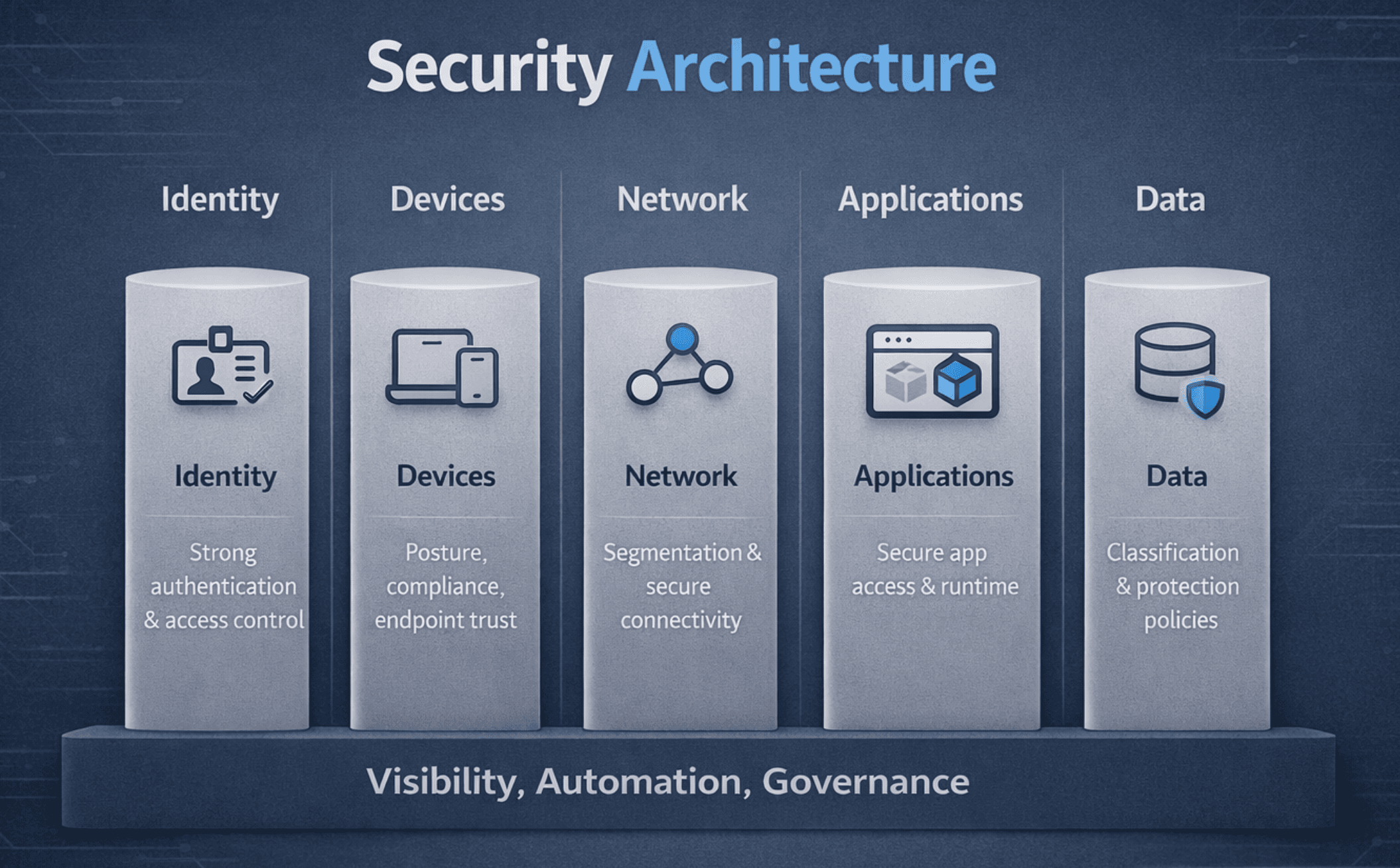
CISA’s framework outlines five foundational pillars:
Identity and Access Management (IAM)
Device security and posture
Network segmentation
Application and workload protection
Data security
These are supported by cross-cutting capabilities such as:
Visibility and analytics
Automation
Governance
Zero Trust isn’t a single deployment. It’s coordinated enforcement across all layers.
Getting Started with Zero Trust
For Individuals
Use MFA everywhere possible
Keep devices updated and patched
Avoid password reuse
Be cautious with new device logins
For Organizations
Map and classify all users, devices, applications, and systems
Implement least privilege and dynamic access policies
Continuously monitor user behavior and device health
Adopt platforms that support identity-based access control
Zero Trust is not deployed overnight. It’s layered in deliberately.
Final Thoughts
The castle-and-moat model relied on clear boundaries.
Those boundaries no longer exist.
Zero Trust recognizes that identity — not location — is the control point.
Trust is not granted because someone is “inside.”
It’s earned, verified, and continuously revalidated.
That shift defines modern cybersecurity.
Key Terms
MFA (Multi-Factor Authentication) – An additional authentication factor beyond a password
NCCoE – National Cybersecurity Center of Excellence (part of NIST)
IAM (Identity and Access Management) – Systems that manage digital identities and permissions
ZTMM (Zero Trust Maturity Model) – CISA’s roadmap for implementing Zero Trust
📚 Sources