How to Secure Your Gmail (Step-by-Step)
Lock Down Your Gmail Account (In Minutes)
Your Gmail account is more than “just email.” It’s the reset button for your entire online life. If someone gets into your Gmail, they can:
Reset passwords for other accounts
Take over social profiles
Dig through sensitive emails
Access Google Drive files (and anything connected to your Google account)¹
This is the single best account to secure first.
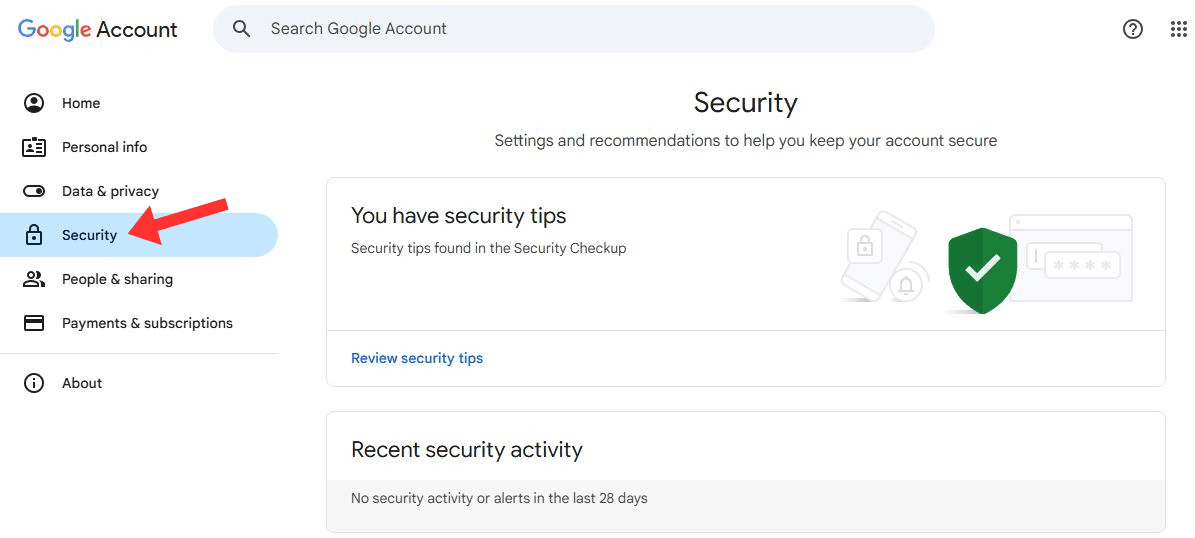
Step 1 — Open Your Google Security Settings
Go to: myaccount.google.com/security
You’ll land on your Google Account Security tab. This is your control panel for password, sign-in methods, devices, and account access.
Step 2 — Turn On 2-Step Verification (2FA)
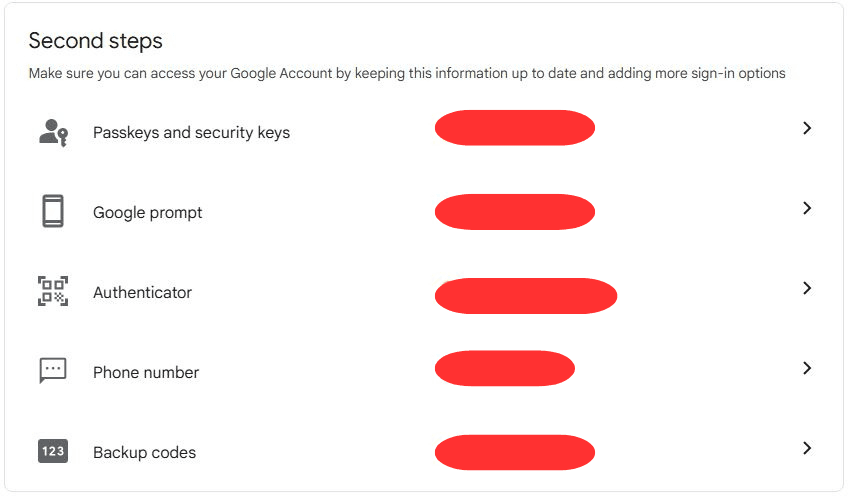
In the Security tab:
Find How you sign in to Google
Click 2-Step Verification¹
Click Get Started and sign in¹
Choose a method (prompt/app preferred)
Confirm and test it
Best practice: Prefer an authenticator app or Google prompts over SMS when possible.²
Step 3 — Strengthen Your Password
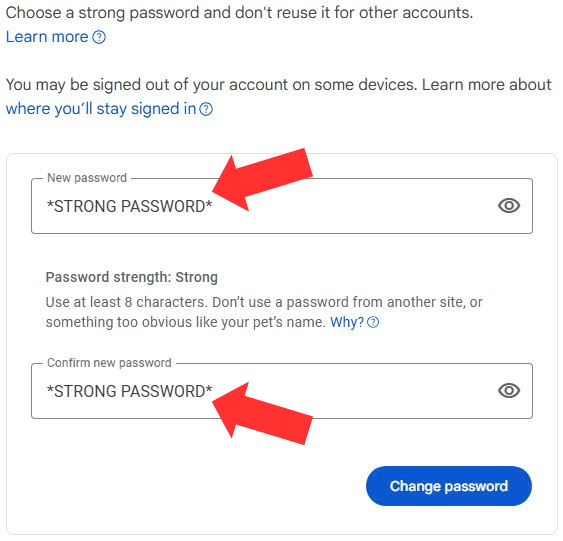
Still in Security:
Click Password¹
Set a strong, unique password
Aim for a long passphrase (length beats cleverness)³
Store it in a password manager so you never reuse it
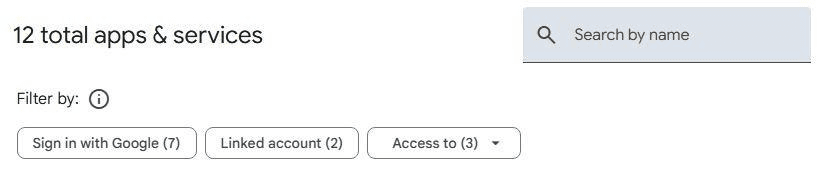
Step 4 — Remove Sketchy or Old Third-Party Access
Back on the Security tab:
Scroll to Third-party apps with account access¹
Review what’s connected
Click Remove Access for anything you don’t recognize or don’t use anymore¹
This is the “why does this random app from 2017 still have access?” step.
Step 5 — Turn On Security Alerts (And Actually Read Them)
Google can alert you about suspicious sign-ins and security events. Make sure you’re receiving alerts and that your recovery info is current.¹
Quick add-on (worth doing):
Confirm your recovery email and recovery phone are up to date¹

Bonus — What Not to Do
Don’t reuse your Gmail password anywhere else
Don’t stay logged into Gmail on public/shared devices
Don’t click login links in emails—type the address yourself (or use a bookmark)
Final Checklist
✔️ 2-Step Verification is enabled
✔️ Password is strong + unique
✔️ Unused third-party apps removed
✔️ Recovery email/phone confirmed
✔️ You’re not reusing your Gmail password anywhere else
You Just Put a Lock on the Most Important Account You Own
This is one of the highest-impact security upgrades you can make in under 10 minutes.
Sources